 Parametric EQ
Beta
MXM FX EQ N
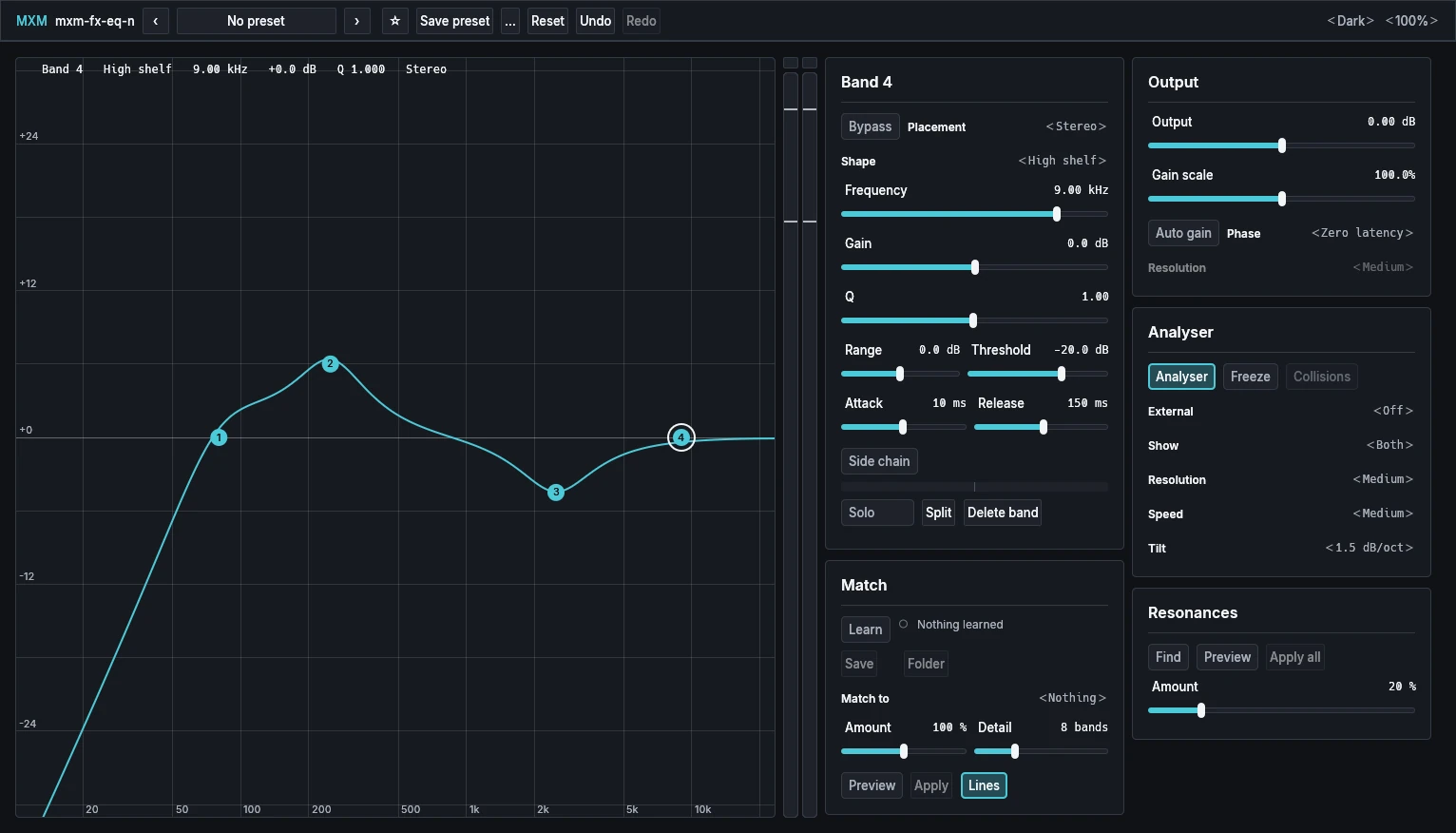
Click the curve to make a band where you want one, up to 24. Every band follows its analogue curve right up to the top of the range.

Sound
MXM FX EQ N starts empty. At Init it has no bands, and inserting it changes nothing. You click the curve where you want a band, and a flat bell appears there for you to drag up or down. You can make up to 24.
Each band takes one of eight shapes: bell, low and high shelf, low and high cut at 6 to 96 dB per octave, notch, band pass and tilt shelf. Every band is matched to its analogue curve right up to the top of the range, so a boost at 15 kHz sounds like one, and a cut exactly cancels the same boost. It runs with no latency, or in linear phase at the cost of a delay.
Beyond the bands
Bells and shelves can be dynamic: they move when the sound in their band gets loud, or when a side-chain input does. A band can work on both channels, on the left or right alone, or on the middle or the sides of the stereo image.
The analyser behind the curve can be frozen, and a peak in the frozen spectrum dragged into a bell. Find listens for resonances and proposes a cut for each. Match learns how a track sounds and proposes bands to bring it closer to another track or a saved reference. Auto gain holds the loudness while you work, so switching the EQ off compares the curve and not the level. The graph can show another track’s spectrum and hatch where the two may collide. Bands can be moved as a group and copied between tracks.
Using it
Mono or stereo, each with or without a side-chain input. When every band has settled to silence, the EQ tells the host it is idle, so the host can rest it on silent input. Undo and Redo cover every change to the bands.
The editor
MXM FX EQ N doesn’t put its cards on pages. The graph takes all the spare room, with an output meter beside it and two columns of cards to its right: Band and Match, then Output, Analyser and Resonances. The app bar adds Reset, Undo and Redo. The editor opens at 1532 × 876 and can shrink to 420 × 480. When the window is narrower than the graph and the columns, the whole surface scrolls sideways.
Presets
15 factory presets, each a few bands of a usual move rather than a finished mix: Gentle low cut, Voice presence, De-mud, Air, Bass weight, tilts, a telephone band, kick and snare shapes, hum notches for 50 Hz and 60 Hz mains, a de-esser and a resonance tamer. The last two are dynamic, so they touch only what gets loud. A preset changes the sound only through its bands: its output level and gain scale are Init’s.
Status
Beta. MXM FX EQ N is done, with everything on this page, and we have used it in DaVinci Resolve and Bitwig. From 1.0 on its controls stay fixed, so projects and automation carry over between versions.